
🚀 The Night I Finally Figured Out Why JavaScript Buttons Don’t Work in Divi 5
Meta Description: If your JavaScript buttons refuse to work in Divi 5, you’re not alone. Here’s the real reason Divi breaks your code, why Google Sites runs it perfectly, and the simple fix that finally made everything click.
Introduction
Let me paint the picture.
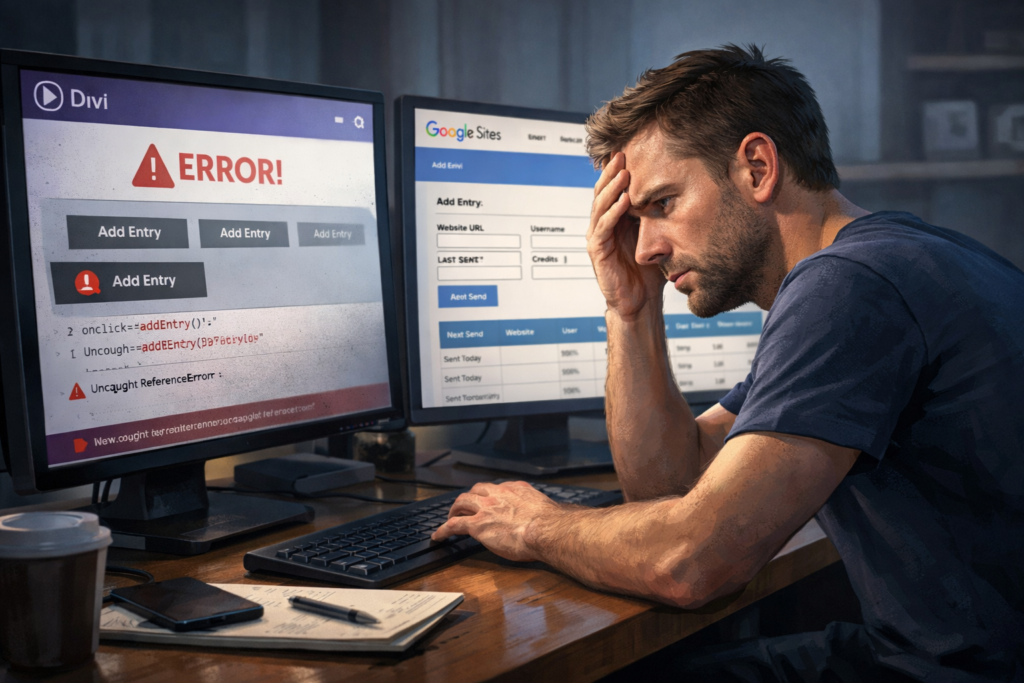
I built a simple Safelist Manager tool — something to keep my marketing organized. It worked flawlessly on Google Sites. But when I moved it over to my Divi 5 website, the buttons just sat there like props. They looked great, but clicking them did absolutely nothing.
No errors.
No warnings.
Just dead buttons.
If you’ve ever tried running JavaScript inside Divi 5, you already know this pain. This article breaks down what’s actually happening, why Google Sites doesn’t fight you, and the exact moment — literally right before I fell asleep — when I finally figured out the solution.
Why I Built My Safelist Manager
I wanted a simple dashboard where I could:
- Track safelist websites
- Store usernames, passwords, and credits
- Log last sent dates
- Auto‑calculate next send dates
- Keep notes
- Upload and download CSV files
- Save everything locally
So I built it. And on Google Sites, it ran perfectly on the first try.
Here’s the working version:
https://sites.google.com/view/safelistmanager/home
Divi 5 vs Google Sites: Two Completely Different Experiences
Google Sites: The Easy One
Google Sites doesn’t interfere with your code. It lets you run:
- Inline JavaScript
- Event listeners
- LocalStorage
- Modals
- Tables
- CSV parsing
Paste your code, publish, done.
Divi 5: The Builder With Rules
Divi 5 is a different story. It uses:
- A new rendering engine
- Shadow DOM
- Iframe‑based modules
- JavaScript sanitization
- Delayed loading
Which leads to:
- Inline onclick handlers get stripped out
- Your script can’t “see” inside Divi’s iframe
- Event listeners attach too early
- Buttons look fine but do nothing
That’s the core of the Divi 5 JavaScript problem.
Why Divi 5 Buttons Don’t Work
Here’s the simple explanation:
Divi 5 puts your HTML inside an iframe.
Your JavaScript runs outside that iframe.
So when your script tries:
document.getElementById("addEntryBtn");Divi basically says, “That element doesn’t exist.”
That’s why:
- Add Entry doesn’t work
- Notes don’t open
- Delete doesn’t fire
- Sorting and filtering don’t respond
CSV upload works because file inputs behave differently, but everything else is blocked.
What I Tried (And Why It Didn’t Work)
Inline onclick
Divi strips them instantly.
Event listeners
They attach before the module exists.
Delays
Even with timeouts, Divi sometimes loads modules after the delay.
Iframe targeting
Divi uses nested containers with changing class names.
Theme Options JavaScript
Still runs outside the iframe.
My Aha Moment: The Fix That Finally Worked
Here’s the part you’ll appreciate.
After hours of testing, I finally gave up for the night. I went to bed frustrated. And right before I fell asleep, I had a sudden, crystal‑clear aha moment:
I realized I was putting the code on a normal Divi 5 page — but I needed to switch to Classic View, add a module, then add an element inside that module, and choose the Code element. Once I did that, everything worked.
That was it.
The moment I moved the code into:
Classic View → Add Module → Add Element → Code
everything came to life:
- Buttons fired
- Notes opened
- Event listeners attached correctly
- The tool behaved exactly like it did on Google Sites
It wasn’t the code.
It wasn’t the logic.
It wasn’t the tool.
It was the placement.
Lesson Learned: Never Give Up When the Solution Is Near
This whole experience taught me something important — something we all forget when we’re knee‑deep in a problem:
Most problems aren’t impossible. You just quit too early.
I was one tiny step away from the solution the entire time.
The code wasn’t broken.
My logic wasn’t wrong.
The tool wasn’t flawed.
I just wasn’t placing the code in the one spot where Divi actually allows JavaScript to run.
It’s wild how often the answer shows up right after you decide to take a break. That late‑night “aha moment” wasn’t luck — it was persistence.
Here’s the takeaway:
- Don’t walk away when you’re close.
- Don’t assume the platform is wrong — sometimes it’s just picky.
- Don’t give up when the finish line is one small adjustment away.
If I had quit earlier, I never would’ve discovered the Classic View trick.
Working Example: My Google Sites Version
https://sites.google.com/view/safelistmanager/home
Everything works there:
- Add Entry
- Delete
- Notes
- Sent Today
- CSV Upload
- CSV Download
- JSON Backup
- Templates
- Filtering
- Sorting
My Two Divi 5 Pages (And Their Issues)
- https://digitalmarketstore.com/safelist-manager/
- https://digitalmarketstore.com/safelist-control-hub/
The UI loads.
The inputs load.
The table loads.
CSV upload works.
But the buttons don’t execute unless the code is placed inside Classic View → Code Module.
Who This Is Best For
Beginners
Google Sites is perfect — no restrictions.
Divi users building interactive tools
Use Classic View or wait for updates.
Developers building dashboards
Google Sites, Webflow, or standalone HTML will save you time.
Anyone who wants buttons to actually work
Right now, Google Sites wins.
FAQ
Q: Why don’t my JavaScript buttons work in Divi 5?
A: Divi 5 renders modules inside an iframe and strips inline JS.
Q: Why does the same code work in Google Sites?
A: Google Sites doesn’t block JavaScript.
Q: Can Divi 5 run JavaScript?
A: Yes — but reliably only in Classic View → Code Module.
Q: Should I wait for Divi updates?
A: Yes. Divi 5 is still evolving.
Q: Should I move my tool to Google Sites?
A: If you need it working today, yes.
Conclusion + CTA
After all the debugging and frustration, here’s what I learned:
Sometimes the smartest move is choosing a platform that doesn’t fight you.
My Safelist Manager works flawlessly on Google Sites:
https://sites.google.com/view/safelistmanager/home
On Divi 5, it only works when using Classic View → Code Module.
If you’re building anything interactive — dashboards, tools, calculators, trackers — pick a platform that supports JavaScript natively.
Until Divi 5 matures, Google Sites is the safer choice.
Call to Action
If you’re stuck with Divi 5 JavaScript buttons not working:
- Try the Classic View → Code Module fix.
- Use Google Sites if you need instant functionality.
- Keep your Divi pages ready for future updates.
- And don’t hesitate to ask someone who knows Divi’s internals.